How to Get a Local Alert When a Supplier Raises a Price
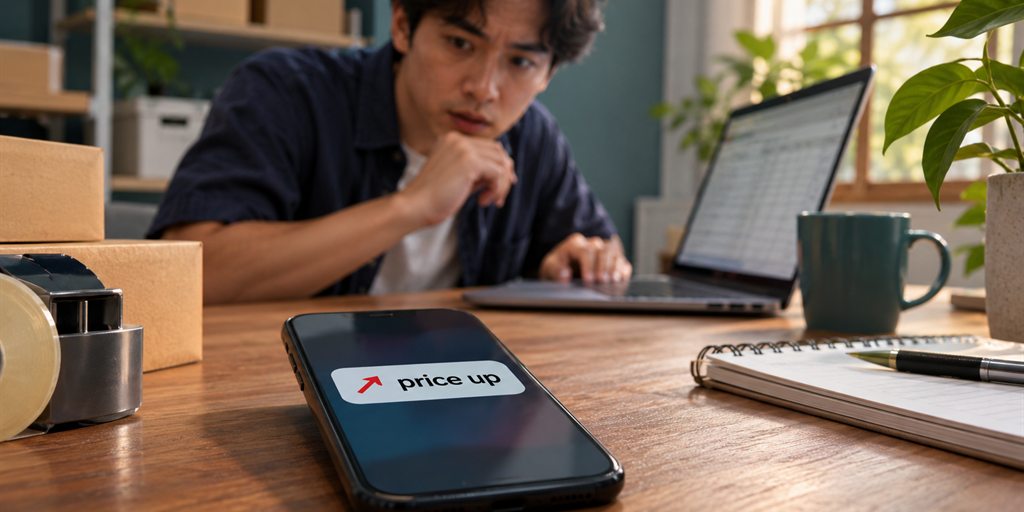
You ship an order and pay the supplier. The difference is what's left for you — and it only works if you know what the supplier charges today, not what they charged last month. Suppliers don't send a courtesy note when they raise a price. The product page just changes, quietly, and the next order you fulfill comes out of a margin you no longer have.
You can't stop a supplier from changing prices. What you can do is make the change visible the moment it happens: a local alert on your phone that shows you the new price, so you can react the same day instead of discovering it at the end of the month.
Why a Silent Price Increase Is a Margin Problem
Every price change has a window between the moment it happens and the moment you notice. During that window you keep selling at the old price while buying at the new one. The difference disappears from your profit — and if you're paying for ads, you're paying to sell products at worse economics than when the campaign started.
A worked example, with invented numbers to show the math (this is not a real product): you sell a lamp for $39.99 and your supplier cost is $22.00. The supplier raises the price to $26.50. For two weeks, every lamp you sell brings in $4.50 less than planned. Ten orders later, that's $45 of margin nobody budgeted for. Now multiply that by the number of products you track and the number of suppliers that quietly adjust prices.
Manual checking doesn't scale to this. With thirty or fifty URLs across several stores, rechecking every page every day is a routine nobody keeps up. The realistic answer isn't more checking — it's a signal that tells you when checking is actually needed.
Turn the Increase Into a Signal
Price Recon turns a product URL into something monitored. Paste a supplier link, and the app extracts what the page exposes — the product name, price, currency, and availability — and saves it as a tracked product. On each scheduled check it fetches the page again and compares the new price with the previous one, so it can tell whether the price went up, went down, or stayed the same.
The part that matters for margin protection: you choose the conditions that trigger an alert. Price Recon lets you enable notification conditions independently:
- price increases — for margin protection;
- price decreases — for sourcing opportunities;
- becoming available — restock detection;
- becoming unavailable — out-of-stock risk.
For the problem in this article, enable price increases on the products where a cost change hurts — the ones you actively sell and advertise. You don't have to accept alerts for every direction on every product: a product you only watch for a restock doesn't need a price-up alert.
Setup is a five-step routine:
- Paste the supplier's product URL into Price Recon.
- Review what the app extracted — name, price, currency, availability — and save the product.
- Make sure automatic updates are enabled for the product.
- Set the alert condition to price increases.
- Pick a check interval that matches how fast you can react.

One thing to be clear about: these are local notifications. They're created and stored on your device; nothing is emailed to you, and the app doesn't send your watchlist to a server.
Price-Up vs. Price-Down Alerts: Two Different Questions
A price-up alert and a price-down alert answer different questions, and separating them keeps your notification feed meaningful.
A price increase asks: "Is my margin shrinking?" That's an urgent, protective signal. When it arrives, you want to recheck your selling price or pause promotion for that product before more orders go out at the wrong economics.
A price decrease asks: "Is this a sourcing opportunity?" It's useful for replenishment and buying decisions, but it rarely requires action in the next hour. If you enable both directions on every product, the urgent signal gets buried under routine noise. Keeping price-up alerts for products you sell and price-down alerts for products you watch helps every notification mean one concrete thing.
What the Alert Actually Tells You
The notification is designed to be acted on at a glance. It shows the product name as the title and the new price in the body, with the currency the source page displays. The tracked product's image and the store's favicon are included when they're available, so you recognize which product and which supplier changed without opening anything.
Tapping the alert opens the product card — where you can see the recorded price history — or the original product URL, so you can confirm the change directly on the source page.
Alerts aren't only a popup. Price Recon keeps a local notification list with timestamps, and you can filter it by product. If you're away from your phone when the alert fires, that list is your review queue when you come back.
Your Response Checklist When the Alert Arrives
- Open the product card and look at the price history. One increase after months of stability is different from the third step of a rising trend. The recorded history is the context the alert alone can't give you.
- Compare the new supplier price with your current selling price. Price Recon records the change; it does not calculate your margin, fees, or shipping, and it doesn't suggest a new price. That math belongs in your own numbers — a spreadsheet or your store's admin.
- Decide and act: raise your selling price, pause ads or promotion for that product, or switch supplier. Nothing in the app changes a price in any store; the action is yours, outside the app.
- Leave a short note on the product about what you decided and why, so next week's review doesn't re-litigate it.
- If the new number looks surprising, open the source URL in a browser and confirm the live price. A failed fetch is not a price change: if the page couldn't be read, no alert fires — safer than a false one, but it means "no news" should be treated as "not verified" for stores with strong bot protection.

Make Sure the Alerts Actually Arrive
An alert is only as reliable as the checks behind it, and on a phone those depend on a few settings:
- Allow notifications when the app asks. Price Recon needs your permission to show alerts on Android and iOS.
- Enable background updates in the app's settings, and choose an update interval you can respond to. Checking every hour is pointless if you review alerts once a day; checking once a week is too slow if you ship the same day.
- Use the allowed-hours window so background checks run during the hours when you can actually react.
- On Android, watch battery optimization. It can delay background work. If timely alerts matter to you, follow the app's guidance to allow unrestricted battery use.
Be honest about what a phone can do. Background checks are scheduled by the operating system, and their timing depends on network access, battery settings, and the source site's response. An update interval is a target, not a guarantee of an exact minute. If scheduled work was missed, Price Recon runs a catch-up check when you open the app and refreshes the notification list, so you rarely have to wonder whether you're looking at stale data.
And remember the boundary: Price Recon observes and records. It doesn't change prices in any store, doesn't reprice your listings, and doesn't calculate profit or margin. It makes the change visible; the pricing decision stays with you — which is exactly what a dropshipper protecting their margin wants.
Start With the Products That Hurt the Most
You don't need to wire up a hundred alerts on day one. Start with the five products where a supplier price increase would hurt the most — the ones you advertise, the ones with the thinnest margin. Set a supplier price increase alert on those URLs first, monitor the cost-changing pages before you add more ad spend, and let the alert tell you when it's time to recalculate.
See how Price Recon turns supplier URLs into a local alert feed — free to download, everything stored on your device.