Practical ecommerce monitoring guide
How to Track Competitor Prices Without a Spreadsheet
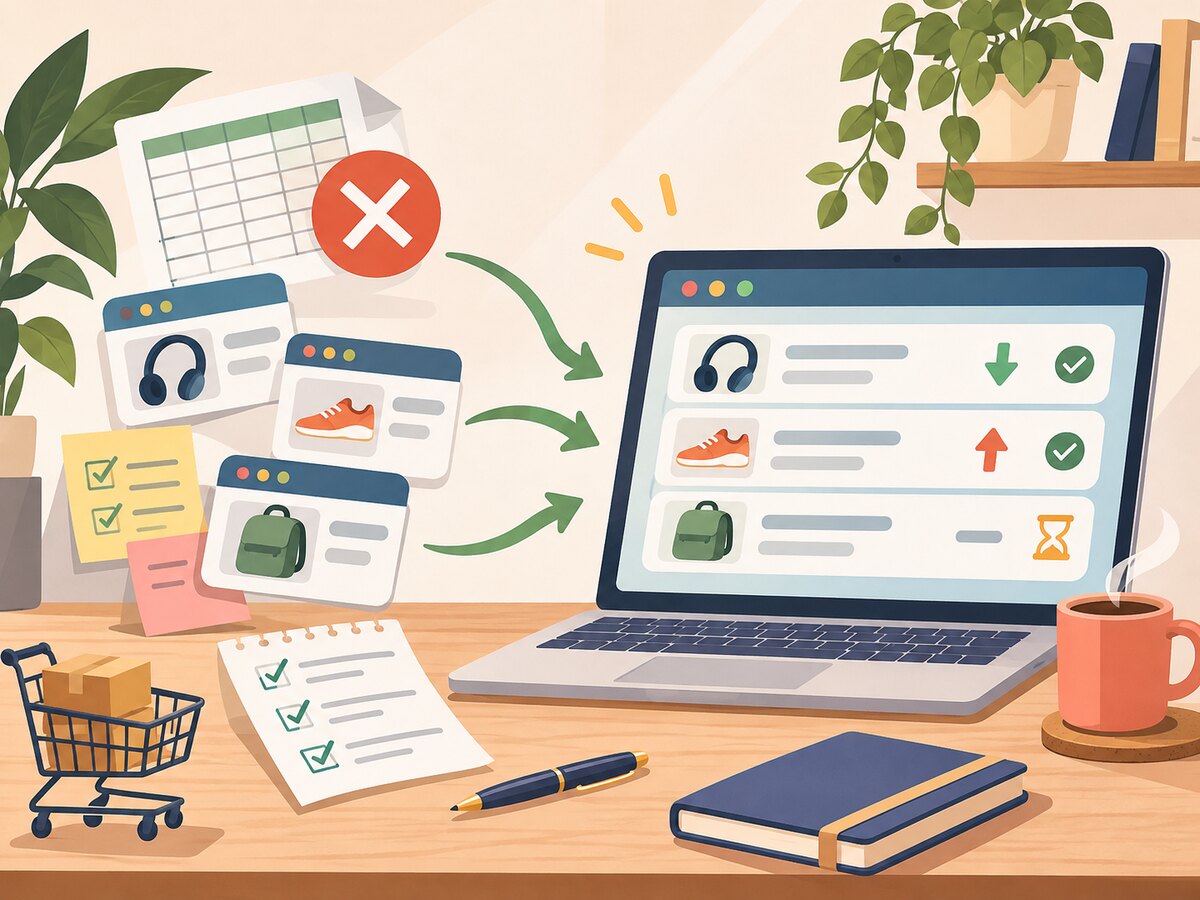
A spreadsheet can hold competitor URLs and last-seen prices, but it cannot tell you which rows are stale unless someone keeps opening pages and updating them. A focused product watchlist gives you a clearer operating loop: save the URLs that matter, review current observations, filter the changes that need attention, and use history before making a pricing decision.
Why a competitor price spreadsheet goes stale
The first version of a price spreadsheet is usually useful. You add a product name, a competitor URL, a price, and perhaps a note about stock. The problem starts when the sheet becomes the place where changes are supposed to be monitored rather than merely recorded.
A row with a price of $39.99 does not tell you whether that value was observed today or three weeks ago. A blank stock column does not mean the product is available. A long list of URLs also does not show which products became more expensive, which became cheaper, or which need a second look.
Manual updating creates three kinds of uncertainty:
- Freshness: you may not know when the recorded value was last checked.
- Direction: a current number does not show whether the competitor moved up or down.
- Context: one snapshot cannot show whether a change is unusual or part of a repeated pattern.
The answer is not to remove every spreadsheet from your business. Spreadsheets can still be useful for margin calculations, fees, shipping, taxes, and your own selling-price decisions. They are simply a poor place to depend on repeated page checking.
The minimum useful fields for competitor price tracking
Before moving data anywhere, decide what you actually need to review. For most small stores, a useful competitor watchlist needs less than a large spreadsheet.
- Product identity: a recognizable name and the original product URL.
- Current observed price: the latest value read from the source page, together with its currency when available.
- Availability: whether the item was observed as available or unavailable.
- Change direction: whether the observed price moved up or down since the previous value.
- History: earlier observations that help you judge the current number.
- Working context: a note or tag such as “main category,” “holiday campaign,” or “backup supplier.”
These fields answer a practical question: “Which tracked products deserve my attention today?” They do not answer every commercial question. Your own margin, advertising, shipping, tax, and pricing calculations still belong in the workflow where you already manage them.
How to track competitor prices without a spreadsheet
1. Start with the URLs that can change a decision
Do not begin by moving your entire competitor catalog. Pick a small set of products that affect a live or upcoming decision:
- products you are actively selling or promoting;
- products where a competitor's price strongly affects your positioning;
- items you are considering for a new listing;
- products with a known availability or sourcing risk.
A first group of five to ten URLs is enough to test the workflow. The goal is not to collect the largest possible list. It is to create a list you will actually review.
2. Add each product URL and verify the first observation
In Price Recon, add a product by pasting its URL or sharing the URL into the app. The product record can include the name, URL, image, store icon, price, currency, and availability when those details are exposed by the source page.
Review the first result before treating it as a baseline. Check that the URL points to the intended product, that the currency is correct, and that the availability state makes sense. Product pages can contain variants, regional pricing, changing markup, or incomplete structured data.
Price Recon uses different extraction paths for sources such as Amazon, Shopify-style pages, Schema.org product data, and Epicentr. That does not mean every online store is guaranteed to work. If an important result looks ambiguous, open the source page and confirm it manually.
3. Organize the watchlist around questions
A spreadsheet often becomes difficult to use because every row has the same visual weight. A watchlist is easier to operate when products have a little context.
Use a simple naming and tagging convention. For example, a product name can identify the item, while a tag can answer why it is being monitored:
- Campaign: the product is connected to a current promotion.
- Launch: the product is being evaluated for a new offer.
- Category: the product belongs to a market segment you review regularly.
- Backup: the URL is an alternative source or competing offer.
Keep notes short and operational. “Check before Friday campaign” is more useful than copying a full product description into the record.
4. Filter for price direction and availability
When every product appears in one undifferentiated list, the important changes are easy to miss. Price Recon lets you filter the product list by search text, domain or store, tags, price direction, and availability.
Use the filters as a review queue:
- Price up: inspect competitors whose observed price increased.
- Price down: review possible pressure on your positioning or a sourcing opportunity.
- Unavailable: check whether the competitor's offer disappeared or whether the source needs verification.
- Available: revisit products that may have returned after a stockout.
Filtering does not make the decision for you. It reduces the amount of list you need to inspect before deciding what to do in your store.
Use price history instead of trusting one snapshot
A current competitor price is a useful observation, but it is weak evidence by itself. A product may be temporarily discounted, listed with a different option, or affected by a regional page. History gives you a way to ask whether the current value is normal for that tracked item.
Open a product's price history when a change could affect your next action. A chart can help you compare the current observation with earlier values, and the available summary can show minimum, average, and maximum values when enough history exists.
For example, imagine a competitor product is currently lower than your reference price. Before reacting, ask:
- Is this the same product and option you have been tracking?
- Is the competitor still showing the item as available?
- Does the history show a stable new level or a short-lived dip?
- Does the change matter after your own costs and commercial constraints?
Price Recon stores product observations and history on the device. It does not calculate your optimal selling price, automatically reprice your store, or decide whether the competitor's move requires action.

A practical review routine for a small store
Replacing a spreadsheet works best when the new workflow has a clear rhythm. Keep the routine short enough to repeat.
Daily or before a live promotion
- Open the tracked product list.
- Filter for price increases, price decreases, or availability changes that matter to the promotion.
- Open the highest-priority products and compare the observation with the source page.
- Record the resulting pricing, merchandising, or sourcing decision in your normal business workflow.
Weekly
- Remove or disable products that no longer affect a decision.
- Review products with repeated fetch failures or unclear source data.
- Check history for products that are influencing a new pricing discussion.
- Add a tag or note when the purpose of a product changes.
You can refresh one product or selected products when a specific decision needs a current check. This is more controlled than refreshing an entire list simply because the spreadsheet happens to contain it.
When a spreadsheet is still the right tool
A spreadsheet remains useful when you need calculations or comparisons that Price Recon does not provide. Keep it for:
- your selling price and target margin calculations;
- landed cost, shipping, taxes, marketplace fees, and advertising costs;
- scenario planning across several products;
- financial reporting and team-specific analysis.
The clean division is simple: use a monitoring tool to collect and organize observed competitor data, then use your spreadsheet or commerce system to calculate and decide. “Without a spreadsheet” does not have to mean “without spreadsheets anywhere.” It means the spreadsheet no longer carries the burden of remembering what changed on a web page.
Important limits to understand
Monitoring is not competitor discovery
Price Recon tracks URLs that you provide. It does not search the market and automatically find competitors for you.
Background updates are not an exact-time guarantee
Scheduled checks depend on the phone's operating system, battery settings, permissions, network access, and the source site's response. An update interval is a schedule preference, not a promise that every page will be checked at the exact minute.
Source pages can require manual review
Parser coverage depends on the page and its available data. Amazon, Shopify-style pages, Schema.org, and Epicentr follow separate paths, and a page can still return incomplete data or fail to extract. Some sources can also present anti-bot pages or CAPTCHA challenges. The app detects blocking but does not bypass CAPTCHA; manual browser verification is the safe recovery path.
Your data stays local
The watchlist, price history, settings, and notification records are part of the device-only workflow. There is no cloud watchlist or backend account to keep the list synchronized. If the records matter during a device change, maintain a deliberate local backup routine.
Move the first small watchlist out of the spreadsheet
Choose five competitor URLs that can change a decision this week. Add them, verify the first observations, tag them by purpose, and use price-direction and availability filters during your review. Then look at history before reacting to a single new number.
This workflow keeps the roles clear: Price Recon helps you monitor and organize observed product changes, while you keep control of pricing, margin calculations, and business decisions.
Start a small competitor price watchlist with Price Recon before moving your whole catalog.