Product research quality control
Why a Review Step Matters When You Bulk-Import URLs
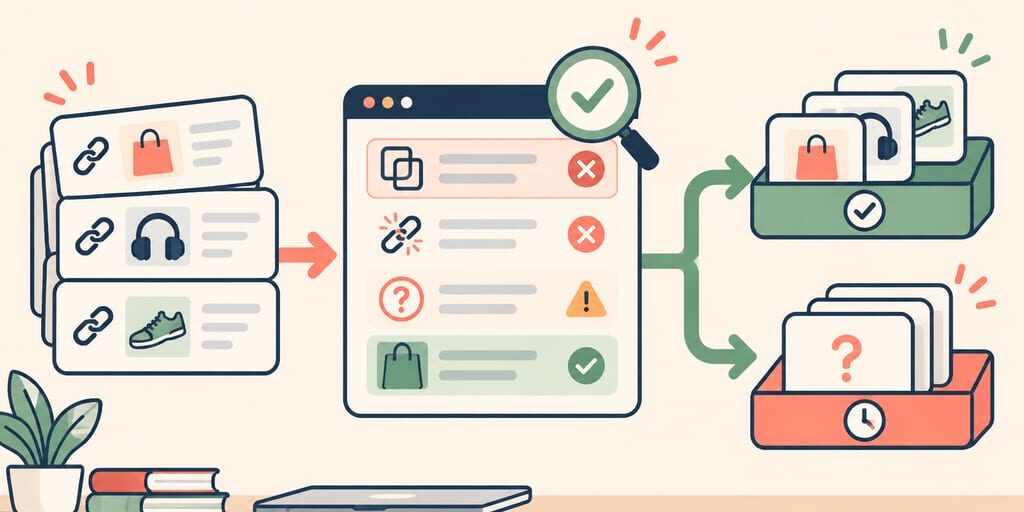
A copied URL list can look like progress while hiding a lot of uncertainty. One link may be repeated, another may already be in your watchlist, and a third may not lead to a page that exposes usable product data. If you save everything without checking, your product list becomes a record of unverified assumptions.
That is why bulk URL validation should end in a review step. Scanning a list is useful, but the important decision comes afterward: which results are trustworthy enough to save, which need more investigation, and which should stay out of the watchlist?
Bulk import is an intake step, not a quality verdict
Bulk addition solves a real research problem. Product candidates often arrive as a multiline list copied from notes, a sourcing document, or a browsing session. Entering every URL separately interrupts the work and makes it easy to lose the connection between a link and the reason you collected it.
But speed at the input stage does not make every URL reliable. A successful scan only means that the app created product data from that URL during the attempt. It does not mean that the page represents the right variant, that every field is complete, or that the product deserves ongoing attention.
A review queue protects the boundary between candidate and tracked product. It gives you a chance to:
- separate clean results from exceptions;
- recognize links that are already tracked;
- correct a product name while the source context is fresh;
- add a shared tag to the products in one research batch; and
- save only the items that answer your current research question.
The result is not necessarily a larger watchlist. It is a more useful one.
What bulk URL validation should tell you
Price Recon accepts a multiline list and normalizes it before scanning. Repeated identical URLs are reduced to their first-seen entry, so accidental copy-and-paste repetition does not automatically become multiple candidates.
The app then distinguishes valid web URLs from inputs that cannot be treated as product links. Validity is a basic gate: an entry must use an absolute HTTP or HTTPS URL. Passing that gate does not prove that the destination is a product page, so it is only the beginning of the check.
For valid candidates, the bulk workflow checks the local product list before trying to create a product from the source URL. When extraction succeeds, the proposed record can include information such as a product name, image, price, currency, and availability when the source exposes those fields. The exact result depends on the page and the extraction path available for it.
This makes bulk URL validation useful for classification, not just collection. It answers “what happened when this candidate was checked?” before you decide “what should be saved?”
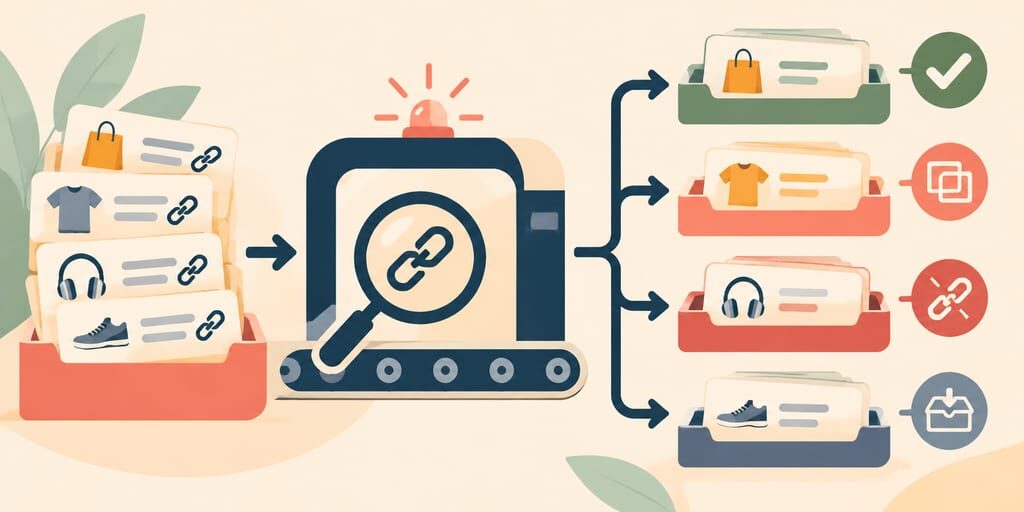
Read each result as a different decision
A good review step does not treat every non-successful result as the same kind of problem. The status tells you what to do next.
Successful: inspect before you accept
A successful item has product data that can be considered for saving. Check the name, URL, displayed price and currency, image, and availability when those details matter to your research. If the product has variants, regional offers, or seller-specific conditions, open the original page and confirm that the URL represents the item you intended to monitor.
You can edit the proposed name in the review screen. This is useful when a source title is too long or does not distinguish the candidate from similar products. A clearer name improves recognition later, but it should not hide uncertainty about the source or variant.
Already exists: do not create a second record
An already-existing URL is a different situation from a new successful result. It is already part of the device's tracked product list, so bulk addition does not present it as a new item to save. That prevents a common research problem: adding the same source again simply because it appeared in a later batch.
If you need to change or reorganize an existing product, use its normal product workflow. The review queue is for deciding what to add, not for creating duplicate records.
Invalid: fix the input or discard it
An invalid entry fails the URL check before source extraction. It is not evidence that a product page is unavailable or that a supplier has failed. It may be a copied domain without a scheme, a note accidentally pasted into the list, or another string that is not an absolute HTTP or HTTPS URL.
Correct it at the source if the link matters. Otherwise, leave it out rather than turning an input problem into a watchlist problem.
Failed extraction: create a follow-up task
A failed scan means that Price Recon could not create product data from the URL during that attempt. It does not mean the product has a zero price, is out of stock, or is unsuitable for your business.
Possible reasons include a temporarily inaccessible page, a page structure the available extraction path cannot read, incomplete source data, or a source response that needs manual checking. Open the URL in a browser when the candidate matters. If the page looks correct there, compare the important fields manually and decide whether it belongs in a separate follow-up list.
Use the review step to add context
Extraction can suggest what a product is. It cannot know why you collected it or how you plan to use it. The review screen is where you turn a raw result into a recognizable research record.
Apply a shared tag with a purpose
A shared tag is useful when it describes the batch's next decision. Examples include supplier comparison, backup option, holiday research, or needs variant check. Choose a label that will help you filter or interpret the products later, rather than one that only records that they arrived together.
The tag is applied to the products you select for saving. Keep the convention short enough to use consistently across future batches.
Save the reason for uncertainty
If a product needs a manual check, do not make its name sound more certain than the evidence. Keep the source URL, use a review-oriented tag, or add a note in the product workflow once it is saved. If the uncertainty is too important to save yet, leave the item out and copy the URL for follow-up.
Choose products instead of accepting the whole result
Successful products are selected for addition by default so a clean batch can move efficiently. You can clear the selection, select all, or invert it, then choose the smaller set that belongs in the current watchlist. The right question is not “can this result be saved?” but “will saving it help me make or revisit a real decision?”
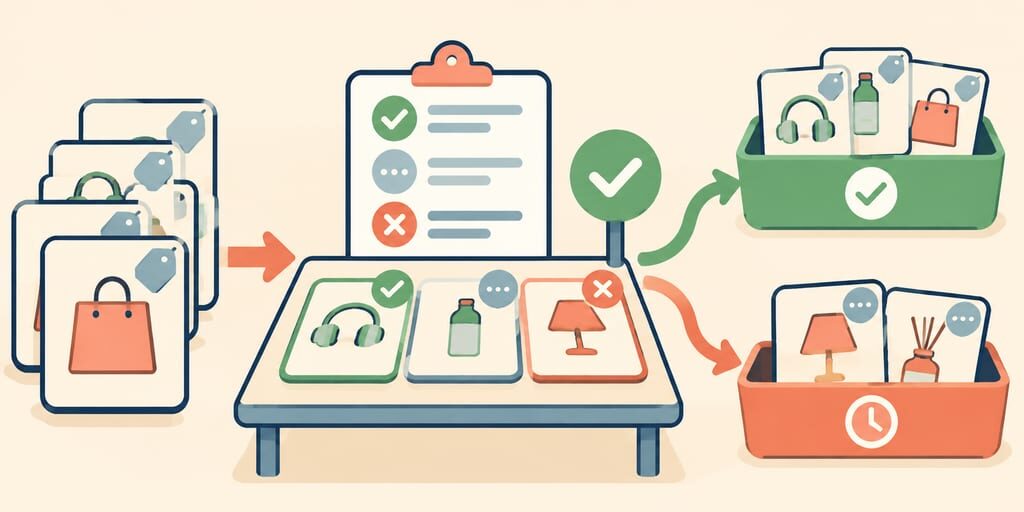
Why selective saving improves the watchlist
A watchlist has a cost even when the data is stored locally. Every irrelevant product adds another item to search, review, and interpret. A large list can make important changes harder to notice because useful candidates are surrounded by links that were never properly evaluated.
Selective saving keeps the research queue and the ongoing watchlist separate:
- Research queue: all candidates, including invalid, duplicate, and unresolved links.
- Review decisions: products checked for identity, context, and relevance.
- Watchlist: products you intend to revisit or monitor.
These categories do not need to have the same size. In fact, it is healthy for the final watchlist to be smaller than the original URL list. The review step is doing its job when it removes noise before noise becomes part of your regular workflow.
What happens when you save
Saving is another checkpoint, not merely a button that repeats the scan. Before inserting selected products, the app checks the local product list again. If a selected URL became tracked while you were reviewing the batch, it is skipped instead of being saved twice.
The save operation also reports what happened to the batch. Products that save successfully are marked as added, while items that fail during saving remain available in the summary. A failed save does not have to erase the rest of the batch: other selected products can continue through the operation.
At the summary stage, URLs that were not added can be selected and copied. That gives you a practical way to preserve unresolved candidates for browser verification, correction, or a later scan. You do not have to reconstruct the list from memory.
A simple bulk URL validation routine
Use this routine whenever a sourcing session produces more links than you can comfortably inspect one by one:
- Group the candidates. Start with one supplier, product category, or research question.
- Paste one URL per line. Let the app normalize repeated identical entries.
- Scan and wait for the review state. Progress completion is not approval.
- Handle exceptions first. Separate already-tracked, invalid, and failed items from successful candidates.
- Check the useful results. Confirm the product identity and important fields against the source page when needed.
- Add shared context. Apply a tag that explains the batch's purpose and edit unclear names.
- Select deliberately. Save only products that deserve a place in the watchlist.
- Copy unresolved URLs. Keep follow-up work visible instead of silently discarding it.
This workflow makes quality control repeatable without requiring every URL to be investigated before scanning. It also gives you a consistent answer when someone asks why a candidate was not added: it was invalid, already tracked, unresolved, not selected, or failed during saving.
What the review cannot verify for you
Price Recon records information observed from source pages; it does not guarantee that every page exposes complete or current product data. Parser coverage depends on the page markup and the applicable extraction path. A source can work for one URL and still require manual review for another.
The app also does not decide whether a product is profitable, suitable for an advertisement, or safe to promise to a customer. It does not calculate margin, shipping, tax, or other business costs. Use the reviewed product data as one input to your existing sourcing and commerce process.
Finally, the bulk workflow is a local device workflow. It does not turn the URL list into a shared cloud catalog. If the watchlist matters to your operation, maintain a separate backup routine appropriate for your device-only data.
Make review the point of bulk import
Bulk importing URLs is most useful when it reduces repetitive input without removing judgment. Normalized duplicates, invalid links, existing products, failed extraction, editable names, shared tags, selective saving, and a final summary all support the same goal: keep unverified candidates from quietly becoming trusted records.
Start with one focused batch and inspect it closely. Save the products that support a real research decision, keep unresolved links in a follow-up queue, and let the watchlist stay smaller than the pile you started with.
Try Price Recon for bulk URL validation and use the review step to keep your product research list useful.